
Your GPS trackers follow your high-value equipment, with no intervention at all. But crates, roll cages, returnable pallets, drills, ladders and measuring cases pass from hand to hand, and one question keeps coming back: where were they last seen?
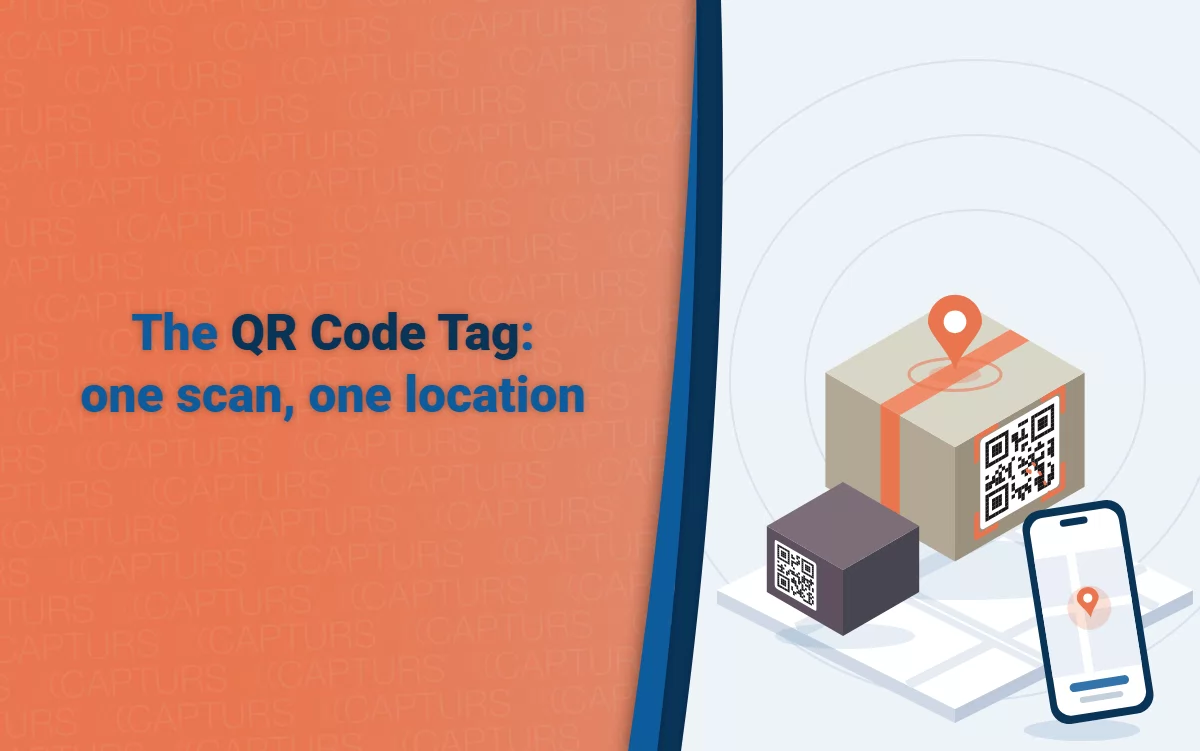
To answer it, Capturs’ QR Code Tag is a label carrying a QR code, tied to an asset ID on your Capturs platform. Anyone scans it with the smartphone already in their pocket, with nothing to install, and the location of the scan shows up on your map, next to your GPS trackers if you have any.
In short
- A QR code label stuck on the object: no battery, no SIM card, no electronics.
- Any smartphone scans it, with nothing to install and no account to create.
- Each scan locates the object: place, time and accuracy. No real-time tracking: for that, use a GPS tracker.
- As an option: photos, status, maintenance, custom fields.
- €0.49 excl. VAT per asset per month, no commitment, with 50 assets free for our first customers.
No electronics, no battery, no SIM card. And one limit that is better stated right away, because it shapes everything else: a QR Code Tag does not track an object, it proves that the object was somewhere, at a given time.
The rest of this article explains what that means, whether you already have Capturs trackers or not. The service is just starting: the first customers are supported personally, and a few features described below are still in preparation (we say so each time).
How a QR Code Tag works: scanning is locating
The principle comes down to three gestures, which we call Flash & Go.
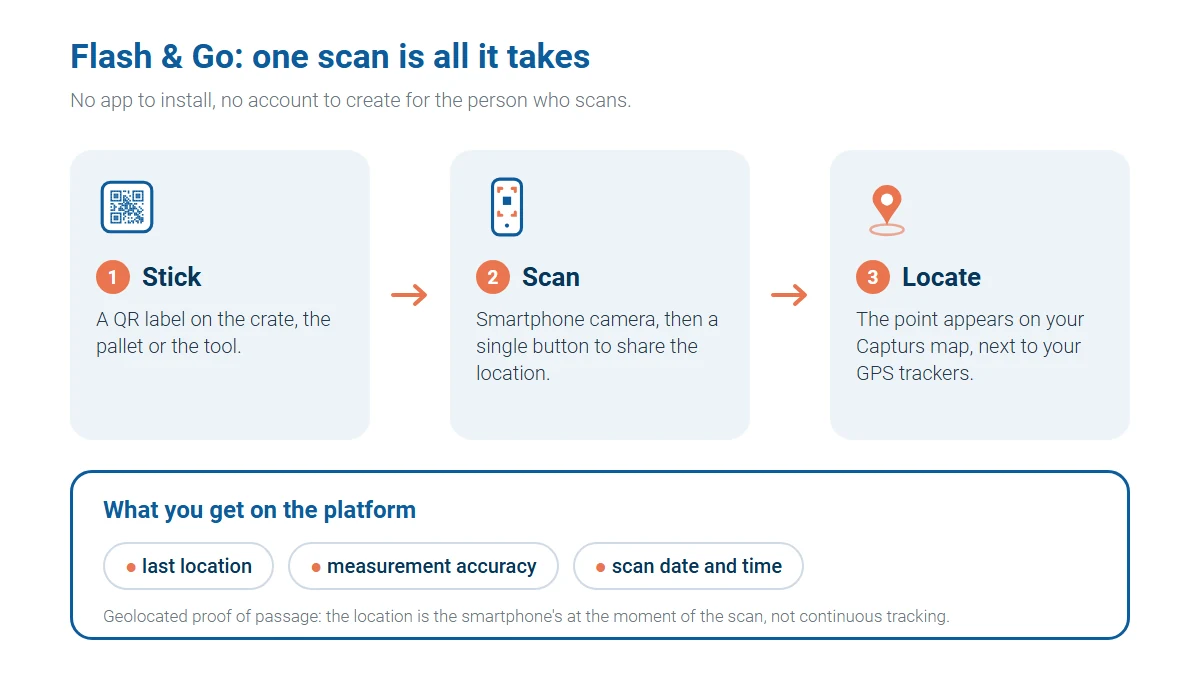
- You stick the label on the crate, the pallet or the tool. Each label carries a unique code, tied to an asset on your platform.
- Someone scans it with the camera of any smartphone, whatever the brand. Nothing to install, no app, no account to create: it is the phone everyone already has in their pocket.
- You locate it: the phone’s location at the time of the scan, its accuracy, and the date and time appear on your Capturs map.
Behind the gesture, a bit of engineering. The code opens a short HTTPS web address, which is essential for the browser to agree to share the location. The page is deliberately light, so that it loads quickly even on a mediocre 4G connection at the back of a warehouse.
It asks the phone’s browser for the location, and the browser only gives it with the person’s consent. Before that request, a sentence explains why we are asking: the owner of the object wants to know where it is, the location is shared once, and no account is needed.
The browser also returns the accuracy of the measurement, in meters. We keep it and show it on the map as a circle: a position within a few meters outdoors is not the same as an estimate within several hundred meters inside a hangar, and you should be able to tell the difference at a glance.
One simple scan, and optional information
The scan alone is enough to prove a passage. But each asset can also carry, as an option, all the information useful to the people who handle it:
- photos of the object or of its condition;
- a status: in service, lent out, under repair, to be checked;
- maintenance: date of the last check, next due date, history of interventions;
- custom fields specific to your business: serial number, site, owner, batch;
- a comment left by the person who scans.
This is particularly useful for maintenance: the technician scans the ladder, the extinguisher or the measuring case, sees the date of the last check, adds a photo and sets the status to “checked”. The same principle works for equipment loans, inventories and tracking returnable items. Some of these options are arriving gradually (see the plans table below): tell us which ones matter to you.
What it does, and what it does not
Let’s be direct. The recorded location is that of the smartphone that scanned, at the moment of the scan. Between two scans, we know nothing about the object. In practice:
- No real time. The platform shows the last scan, with its date.
- No automatic zone-exit alert, since nothing happens as long as nobody scans.
- Accuracy depends on the phone and the place: good outdoors, rougher inside a building.
- If the person refuses to share their location, the scan is still recorded with its date, simply marked “no location”.
- Inside a messaging or social app, the built-in browser often blocks geolocation. The page then invites the person to open the link in the phone’s own browser.
If you need to know where an object is at any moment, or be warned when it leaves a site, you need a GPS tracker. Our article on GPS tracker battery life explains what to expect from each setting. If what you want is the trace of passages (where, when), the QR code is plenty. Here is how the three levels compare:
| Solution | When do you get the location? | Hardware (excl. VAT) | For which objects? |
|---|---|---|---|
| QR Code Tag | At each scan: the phone’s location | Label or plate | Low value, high volume, someone walks past regularly |
| Mini or Endurance, High Autonomy | 1 to 2 positions per day, with no intervention | €129 (Mini), €139 (Endurance) | Valuable equipment, pallets, trailers |
| Performance, OBD or Power, High Performance | Up to one position every 30 seconds | €129 | Vehicles, people, precise tracking |
The right test is two questions. Does someone walk past the object regularly? Do you need to be alerted right away if something goes wrong? Yes to the first and no to the second: the QR code is enough. If it is no, then yes, go straight to a tracker.
Where the QR Code Tag makes the biggest difference
Returnable containers, roll cages, racks and pallets
They go to the customer, come back or don’t, and nobody really knows where they sleep. Yet at every loading and unloading, someone has the object in hand. One scan, and you know where and when it was last seen. Enough to chase a return, or to settle a deposit dispute with a date and a place rather than with memories. See also our supply chain and logistics page.
Construction and loaned equipment
Tools, ladders, cases, small equipment that changes hands every week. A scan when it is picked up, a scan when it comes back: you keep proof that the item was on a given site on a given date, and half of the Monday-morning discussions disappear. For equipment you really need to find on its own, see our pages on equipment and tools and construction sites.
Lost and found
Suitcases, flight cases, traveling equipment. Whoever finds the object scans the label. The owner sees the scan on their map, with the place and the time, and the finder only sees the owner’s brand, never their contact details. A relayed message to the owner, with a possible reward, is part of what we are preparing.
Equipment to inspect
Fire extinguishers, protective equipment, machines subject to periodic checks. The technician scans while passing and the inspection is dated and located, with a comment if needed. No more copying a number into a notebook.
Small internal equipment
Computers, screens, furniture. An inventory by scan, with the location of the last passage, without buying a single device.
What it is better not to ask of it: finding a valuable trailer or machine all by itself. For that, a GPS tracker for trailers and dumpsters remains the right answer.
You don’t have trackers yet: a simple way to start
If you have never equipped your fleet, the QR Code Tag is the least risky way in. Nothing to buy to get started, nothing to charge, nothing to wire. You stick, you scan, and you see whether the habit takes hold in your teams.
That is where the real test is, and it is not technical. An asset nobody scans is worth nothing. Better to find that out on 50 labels than on 5,000, which is why the first assets are free: for our first customers, the first 50 assets are free, with no time limit. You measure, you decide.
No commitment, as with the rest of the range: no tacit renewal on annual plans, stop anytime on monthly plans. And if an object gains value, or if you want to follow it closely, a GPS tracker joins the same platform. We plan for the asset to keep its ID and its history at that point.
You already have Capturs trackers: what the QR code changes for you
You know the platform: map, groups, zones, reports, API. A QR asset sits there like any other. On the map, each asset shows its last location with its source (GPS or scan) and its freshness, and both types live in the same groups.
- A two-speed fleet. High-value objects, which move and which you want to find without intervention, stay on GPS. All the others go to QR. One map, one contact, one invoice.
- A backup label on the tracker. A QR stuck next to a GPS tracker lets anyone who finds it report it.
- One container, one content. A tracker on the rack or pallet gives the precise position of the container, while the parts inside carry a QR. This is a use we are preparing.
A worked example, for 100 objects. The GPS figures are our monthly cost over 5 years (Endurance tracker, High Autonomy Europe subscription, batteries included), brought down to a monthly figure per tracker. They include neither delivery nor labels. The three lines do not provide the same service, which is precisely the point.
| Fleet of 100 objects | Average monthly cost (excl. VAT) |
|---|---|
| 100 Endurance GPS trackers | €552.00 |
| 20 GPS trackers + 80 QR Code Tags | €149.60 |
| 100 QR Code Tags | €49.00 |
The calculation is easy to redo: 20 × €5.52 + 80 × €0.49. For a small fleet of 1 to 10 GPS trackers, go through the online shop.
What comes next
No date is announced at this stage, but here is what is on the roadmap: alerts when an object has not been scanned for too long, an out-of-zone scan alert, scanning several codes at once, customizing the scan page with your company’s colors, and tracking the rotation of containers. Tell us which ones matter to you, they will move to the front of the queue.
How much does a QR Code Tag cost?
The subscription is calculated per asset and per month, with no commitment. We deliberately rule out billing per scan: it would discourage precisely the gesture that gives the service its value.
| Plan | What it includes | Price (excl. VAT) |
|---|---|---|
| Discovery | The first 50 assets for our first customers, simple scan with location | Free |
| Standard | Scan with location and accuracy, optional comment, scan history, export | €0.49 per asset per month |
| Pro | Advanced features as they arrive: photo, custom fields, automatic alerts, scan page in your colors | Price announced with these features |
| Labels | Durable stickers, engraved or metal plates depending on the environment, series printing | On quote, sold by the batch |
For a large fleet, let’s talk: volumes are priced on quote. And if you want to compare with GPS, remember that a tracker subscription starts at €2.99 excl. VAT per month on High Autonomy Europe, plus a tracker from €129 excl. VAT.
Reliability and privacy: what happens when someone scans
A person’s location is personal data, and we treat it as such. The journey is designed to collect only what is necessary: the person consents at the moment of the scan, the location is attached to the asset and not to an individual, and no account or identity is requested. The retention period for scans will be configurable by the customer.
A QR code is easy to copy, so it has to be protected against fake scans. Here are the planned protections:
- the number of scans per code is limited over time;
- a physically impossible trip between two scans is flagged;
- a compromised code can be deactivated or regenerated in seconds, and a deactivated label shows a neutral page (“This label is no longer active”), with no data from your company.
That leaves the physical medium: a damaged code can no longer be read. Depending on the environment (dust, shocks, weather), we choose a durable sticker, an engraved plate or a metal plate.
Getting started in four steps
- Pick a single use case to begin with, for example your returnable roll cages or your site tools.
- Ask the two questions: does someone walk past the object regularly, and is an immediate alert needed?
- Receive and stick your labels: durable sticker, engraved plate or metal plate depending on the environment, supplied on quote.
- Measure for a month: how many assets were scanned, how many scans gave a location, with what accuracy. That is what decides what comes next.
QR Code Tag: frequently asked questions
Do I need to install an app to scan?
No. The smartphone camera is enough: it reads the code and opens a web page. There is no account to create for the person who scans.
Does the QR Code Tag replace a GPS tracker?
No, it complements it. It proves a passage, it does not follow the object. For an automatic position, several times a day or continuously, you need a Capturs GPS tracker.
What does the person who scans see?
The owner’s brand and a generic name for the object. Never your contact details, never the history. A relayed message to the owner, for lost objects, is planned but not yet available.
What happens if they refuse to share their location?
The scan is recorded with its date, marked “no location”. The owner knows the object was seen, but not where.
Can I mix QR Code Tags and GPS trackers on the same account?
Yes. Both types of assets live in the same groups and on the same map, with their source and the freshness of their last location.
Is there a commitment?
None. No tacit renewal on annual plans, stop anytime on monthly plans, as with the GPS tracker subscription.
Can a copied label distort my tracking?
It is a real risk for any QR code, hence the protections: limiting the number of scans, flagging impossible trips, deactivating or regenerating the code.
Become an early bird
Leave us your email and we will open access to the QR Code Tag for you, with free assets to try, with no time limit. If you like, tell us in a couple of lines what you want to track. It is optional.
Early bird QR Code Tag
Let’s talk about your fleet
Tell us what you want to find, how many objects are involved and who walks past them. We will tell you honestly whether the QR code is enough, whether you need GPS trackers, or both, with a monthly cost attached.
Want to look at GPS trackers first? Compare the models in our technical specifications comparison, or write to us through the professional contact page.